Aesthetic symbols
Copy and paste aesthetic symbols for Tumblr, Twitter, and Facebook bio & usernames. Find cute hearts, borders, dividers, headers, stars, and stylish text symbols to decorate your profile, bio, and username in one click.
Copy and paste aesthetic symbols for Tumblr, Twitter, and Facebook bio & usernames to make your profile look more stylish, creative, and unique. Explore beautiful aesthetic borders, text dividers, headers, heart symbols like (˚ ༘♡ ⋆。˚), stars, arrows, flowers, and many more decorative text styles that are perfect for adding a soft, cute, or elegant touch to your social media name and bio. These symbols are specially useful for users who want their Tumblr bio, Twitter username, or Facebook profile text to stand out with a more attractive and personalized look.
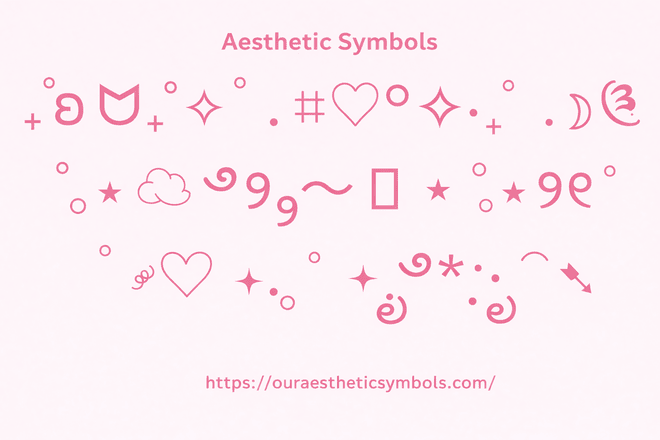
You can easily click on any aesthetic symbol, emoji text, or decorative design and copy it instantly in just one click. After copying, simply paste it into your Tumblr bio, Twitter display name, Twitter bio, Facebook bio, or username text field without any extra effort. This quick copy-and-paste option helps you decorate your social media profiles in seconds and gives your bios and usernames a fresh, stylish, and aesthetic appearance.
What are Aesthetic Symbols?
Aesthetic symbols are stylish text characters, hearts, stars, dividers, borders, arrows, and cute decorative signs that people use to make their bios, usernames, captions, and social media profiles look more attractive and unique. These symbols are popular on platforms like Tumblr, Twitter, Facebook, Instagram, and Discord because they help give simple text a more creative and aesthetic look.
How to Use
Using aesthetic symbols is very easy. You just need to choose the symbol you like, copy it, and paste it wherever you want. You can use these symbols in your bio, username, profile name, captions, comments, or any text box to make your profile look stylish and different.
1. Choose Your Favorite Symbol
Browse the collection and pick any aesthetic symbol, heart, divider, border, or text style you like.
2. Copy It
Click on the symbol to copy it instantly to your clipboard.
3. Open Your Social Profile
Go to your Tumblr, Twitter, Facebook, or any other social media profile where you want to use the symbol.
4. Paste Your Symbol
Paste the copied symbol into your bio, username, profile name, or text field and save the changes.
In the end, aesthetic symbols are a simple way to make your bio, username, and profile text look more stylish and attractive. You can choose any symbol you like, copy it in one click, and paste it on your Tumblr, Twitter, or Facebook profile. These symbols help give your social media profile a cute, creative, and unique look without any hard work.
Also check